
Rechargeable or AAA laser pointer? 18650 and 16340 cells versus AAA
Should your laser pointer run on AAA batteries or a rechargeable 18650 or 16340 cell? A practical comparison, with charging tips.
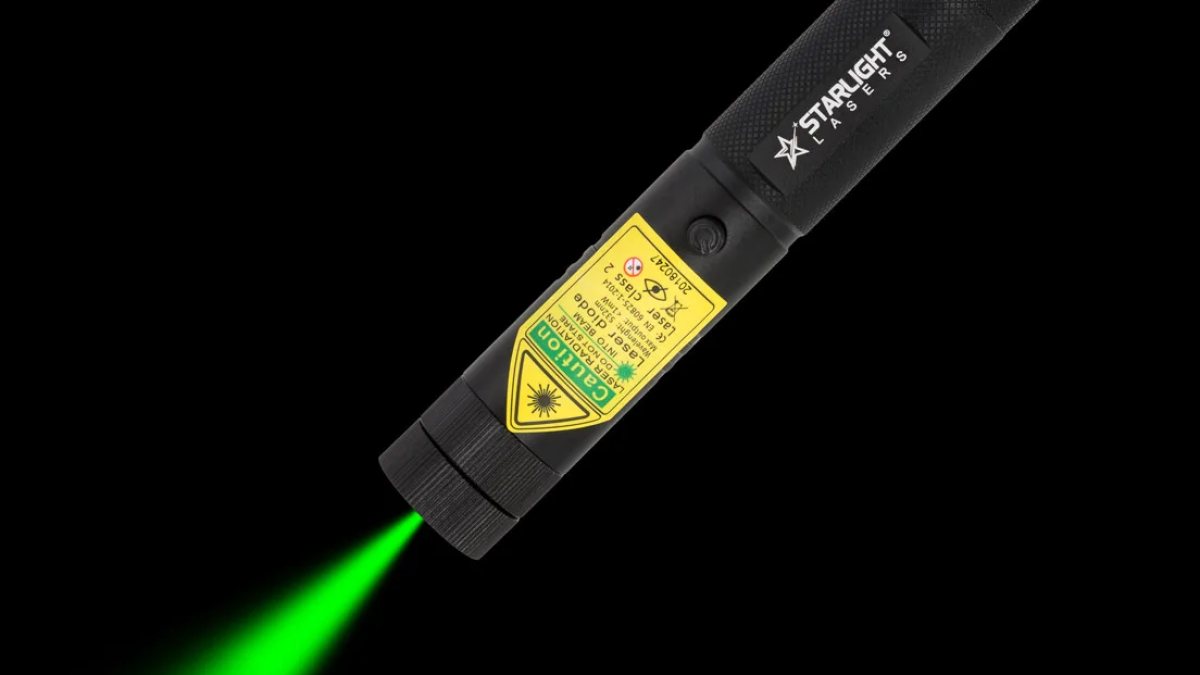
Every laser pointer needs a power source, and the choice you make affects size, convenience and how the laser fits into your routine. In our range you will find three battery types: ordinary AAA batteries in the pens, and rechargeable 18650 or 16340 lithium-ion cells in the Pro models. This article compares them so you can decide which suits you.
The three battery types in brief
| Battery | Used in | Rechargeable | Charger |
|---|---|---|---|
| 2x AAA | X1, X2, M1, Z1 | Not as supplied | Not needed |
| 18650 Li-ion | G3 Pro, G1 Pro, R1 Pro, V1 Pro | Yes | PowerFox, included |
| 16340 Li-ion | G2 Pro, R2 Pro, V2 Pro | Yes | PowerFox, included |
The battery type does not change the output: every laser we sell is class 2 with max. 1 mW. A rechargeable Pro is not stronger than a pen; it differs in build, convenience and, on the full-size models, the key lock.
AAA batteries: simple and everywhere
The four laser pointer pens each take two AAA batteries, which come in the box. The advantages are obvious. There is nothing to charge, replacements are on sale in every supermarket, newsagent and petrol station in Ireland, and the pens stay slim because AAA cells are thin. A set lasts at least about a month of normal use.
The downsides: you keep buying batteries if you use the laser a lot, and disposable cells create waste. You can use rechargeable AAA cells in our pens if you prefer, but you will need your own AAA charger.
Choose AAA if you use your laser a few times a week or less, mostly indoors, and want the slimmest possible pointer.
18650 lithium-ion: the full-size workhorse
The 18650 is a cylindrical lithium-ion cell, roughly the size of a thick finger. It powers our full-size Pro lasers, which also come with two safety keys. Each laser includes one cell and a PowerFox charger. You unscrew the laser, take the cell out and charge it in the charger; the laser has no USB port. A charge lasts at least about a month in normal use.
Spare cells are sold as the PowerFox 18650 2-pack, which contains two cells.
Choose 18650 if you use your laser often or for long sessions, outdoors in the cold, or if you want a key lock.
16340 lithium-ion: compact and rechargeable
The 16340 is a short lithium-ion cell that makes compact lasers possible. Our G2 Pro, R2 Pro and V2 Pro use it and measure only 11–12 cm. Like the 18650 models they come with one cell and a PowerFox charger. A charge lasts at least about a month in normal use. Spares: the PowerFox 16340 2-pack.
Choose 16340 if you want rechargeable convenience in a pocket-sized laser and do not need safety keys.
Head to head
| AAA pen | 18650 Pro | 16340 Pro | |
|---|---|---|---|
| Running costs with heavy use | Higher | Low | Low |
| Replacement availability | Any shop | Order spares | Order spares |
| Size | Slim | Full-size | Compact |
| Safety keys | No | Yes, 2 | No |
| Cold-weather use | Good | Good, keep spare warm | Good, keep spare warm |
Charging lithium-ion cells safely
Lithium-ion cells are safe when handled properly. Follow these habits:
- Use a charger designed for these cells, such as the PowerFox charger supplied. It charges one cell at a time.
- Charge on a hard, non-flammable surface, not on a bed or sofa, and do not leave it unattended for long periods.
- Insert the cell the right way round. Plus to plus.
- Stop using any cell with a torn wrapper, dents or swelling.
- Carry spares in a case, never loose in a pocket with keys or coins.
- Avoid extreme heat, such as a dashboard in summer sun.
- Hand used cells in at a battery collection point rather than putting them in the bin.
Irish readers should note that the PowerFox charger has a European two-pin plug, so you need a travel adapter for an Irish three-pin socket. A second PowerFox charger is handy if you charge at home and at work.
Cold nights and battery life
All batteries deliver less in the cold. On a frosty stargazing night, keep the laser in an inside pocket between uses and carry a spare cell close to your body. Swapping in a warm cell restores full brightness.
How to tell when a battery is running low
A laser pointer does not usually stop abruptly. The dot gradually becomes dimmer, or it flickers when you press the button. With AAA pens, replace both batteries at the same time and use cells of the same type. With a Pro laser, take the cell out and put it on the charger, and put it back once it is charged. If a lithium-ion cell no longer holds its charge after years of use, replace it rather than continuing to charge it.
Storing your laser for longer periods
Going months without using it? Remove AAA batteries from a pen to avoid leakage. For Pro models, store the cell partly charged in a cool, dry place and remove the safety key. Charge it fully again before your next outing.
Our advice
For occasional pointing at slides or playing with the cat, a pen on AAA batteries is perfect. For anything regular or outdoors, go rechargeable: the G3 Pro is our best seller, and the G2 Pro the compact alternative. All spares are in laser pointer batteries and charger. More help in choosing: laser pointer buying guide.
More articles
Blog
Laser pointer buying guide for Ireland: how to pick the right one
Colour, shape, battery and safety: a clear, step-by-step guide to buying a laser pointer in Ireland without wa…
How far does a class 2 laser pointer reach – and how bright is it really?
Real-world distances for green, red and violet class 2 laser pointers by day, at dusk and in the dark, and why…
Green vs red vs violet laser pointer: which colour should you buy?
Green, red or violet? How the three laser colours differ in brightness, range and use, and which one suits you…